
Content Library Reports
Since your Content Library contains both content and pricing, there are specific reports to help you review and update each. You can access the Content Library reports in the left menu in your Content Library (or Tariff) tab.
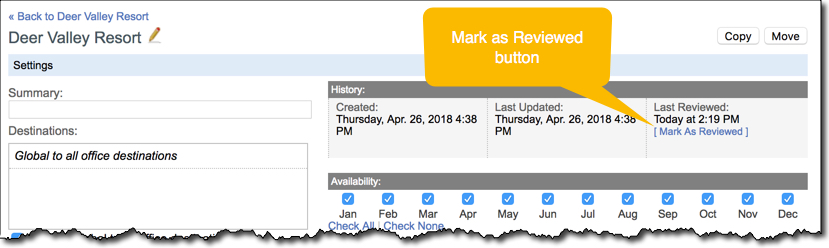
Needs Review Report: This report will list every standalone article (backgrounder), product, and package that has not been marked as reviewed since creation or in the last 6 months. Note that only users with the Data Administrator role (granted in the Admin Site) can mark Content Library items as Reviewed. You can use the checkboxes to mark multiple items as Reviewed at once.
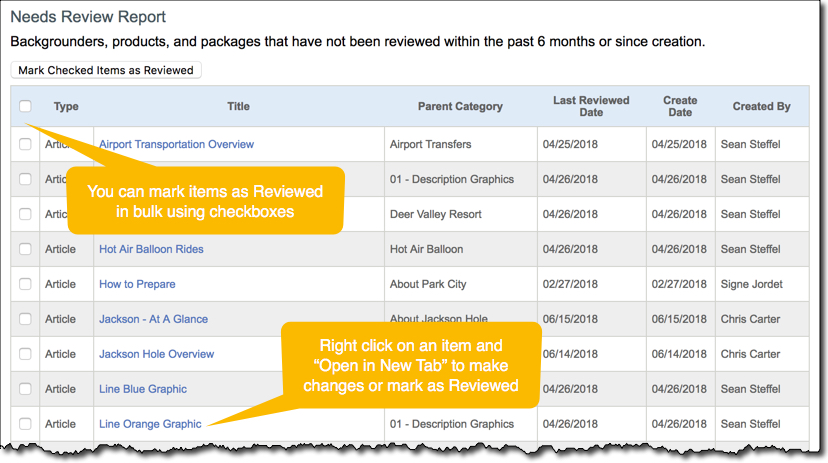
Be sure to mark items as reviewed after confirming they are up to date and accurate.
Pricing Reports
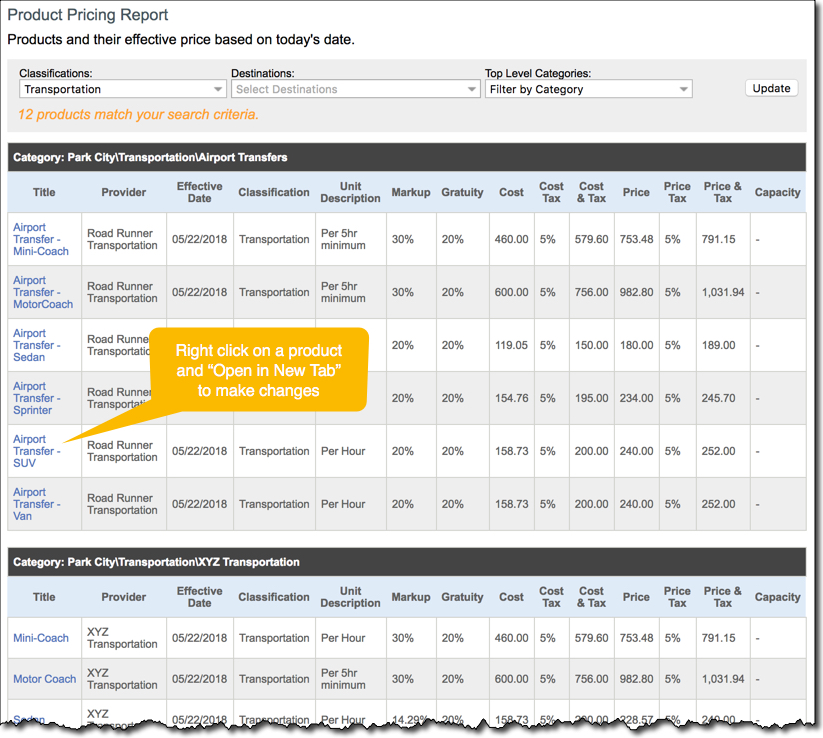
Product Pricing Report: This report will list every product in your Content Library based on the filters you set at the top of the report. The report format makes it easy to look over your products and scan the price, cost, profit percent, tax rates, and more for each product. If you have an overwhelming number of products, we suggest using the filters at the top to narrow your results by classification so you can review your products in a more manageable way and work through your top priority classifications first.
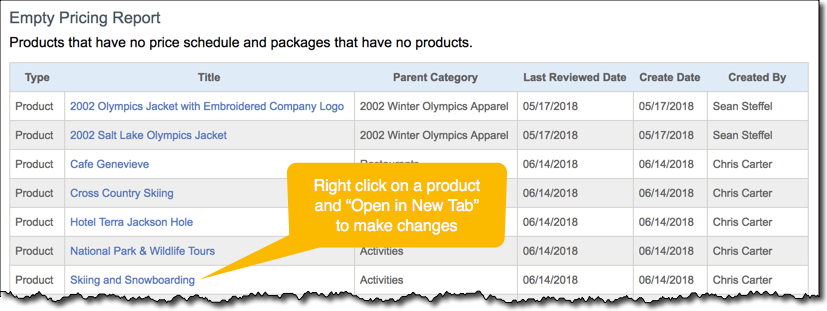
Empty Pricing Report: This report will show you all products and packages that do not have any pricing entered. We suggest reviewing the products and packages in this report every so often to make sure you have not forgotten to add pricing. Be sure to delete unneeded products and packages to keep your Content Library clean.
Content Reports
Search Articles: This report will list all content articles in your Content Library. The list view provided by this report makes it easier to look over and review your articles compared to clicking into each folder in your default Content Library view. Just like with the Product Pricing Report, you can use the filters at the top to limit your results to a more manageable number so you don't feel overwhelmed and to allow you to review specific types of articles in priority order. The Search Articles Report also allows you to see which users have created articles and when so it is a good way to gauge user activity and users' efforts in creating content.

Empty Descriptions Report: This report will list every standalone article (backgrounder), product, and package that have empty descriptions. It is possible that many of your products do not have descriptions because they are only used in packages or for pricing purposes, but most packages and standalone articles should not have empty descriptions.

Best Practices
We suggest familiarizing yourself with the multiple reports that help you manage and review your Content Library. You should also establish some guidelines within your company with clear processes for who should oversee proposal content and pricing and when prices and content should be reviewed and updated. We suggest designating specific users as "Content Library Managers" who serve as the gatekeepers of the Content Library and are responsible for keeping it organized and accurate.
Comments
0 comments
Please sign in to leave a comment.