
Content Library Templates are a great way to streamline the process of creating proposal content and they help provide a consistent look to your proposals. It's easy for you to setup Article Templates right in your Content Library.
Depending on your business, you may wish to create templates for each type of your services and offerings. For instance, you can create a separate template for venues, restaurants, activities, etc.
- A venue template would have a format that best showcases venues and might include placeholder text to remind users to input minimum group size, capacity, seating arrangements, and audio/video options.
- An activity template would have a format the best showcases activities and might include placeholder text to remind users to input activity inclusions, how strenuous the activity is, and the length of the activity.
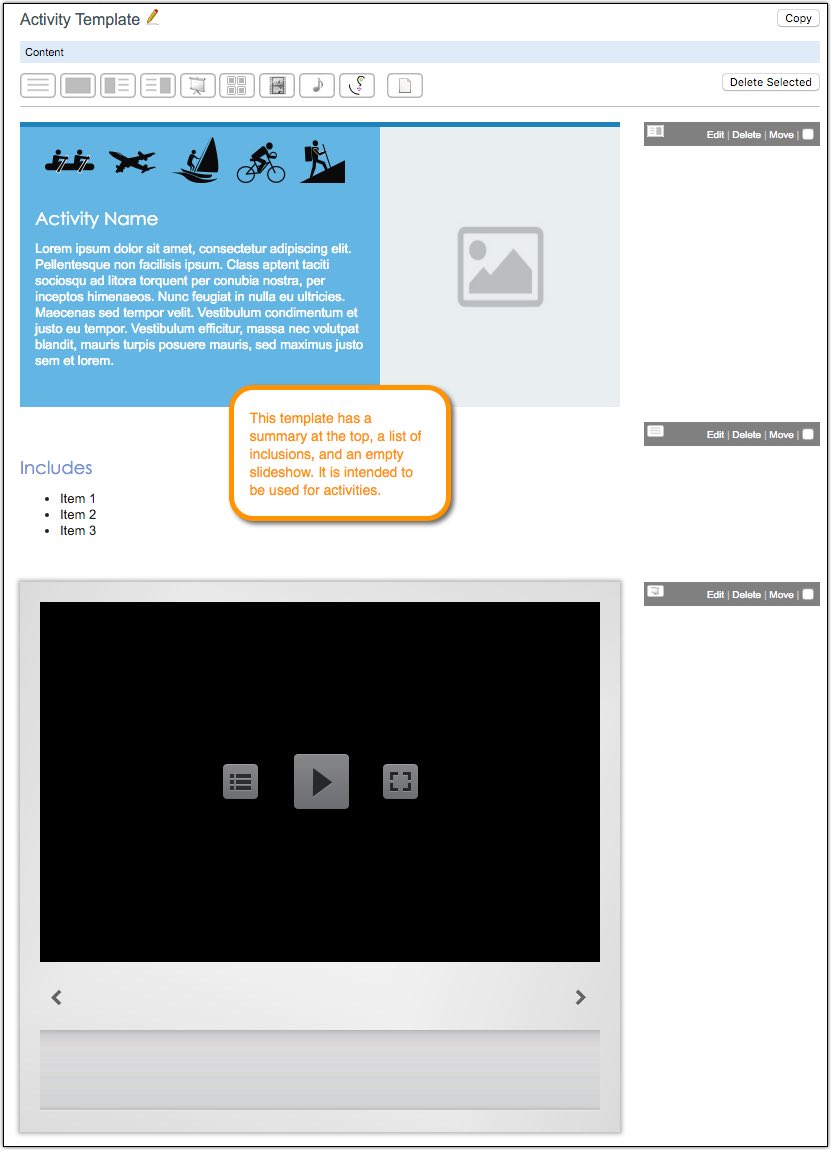
This Activity Template serves as a basic example of how you could format and style an article template to be used for new activity articles.
Creating Article Templates
Article Templates are just articles in the Content Library that you create with the intention of using as templates (or the starting point) for other articles in the future. There is no limit to the number of Article Templates you can create in the Content Library, so create as many as you think will be useful.
- Create a folder in your Content Library to hold your article templates. Depending on the number of templates you plan to create, you can create subfolders to better organize your article templates.
- In your templates folder, begin creating articles for each template you wish to have. For instance, you may have an article template for activities, restaurants, venues, etc.
Using Article Templates
Once you have built your templates, you can use them for creating new articles.
- Open the desired template you wish to use for your new article.
- Copy the template and set a name for your new article and choose its location in the Content Library.
- After copying the template, you are taken to the newly created article. Swap out the placeholder text and images with specifics for your new article. Of course, you can add additional Content Blocks to the article if you wish.
Comments
0 comments
Please sign in to leave a comment.