
Bulk Move
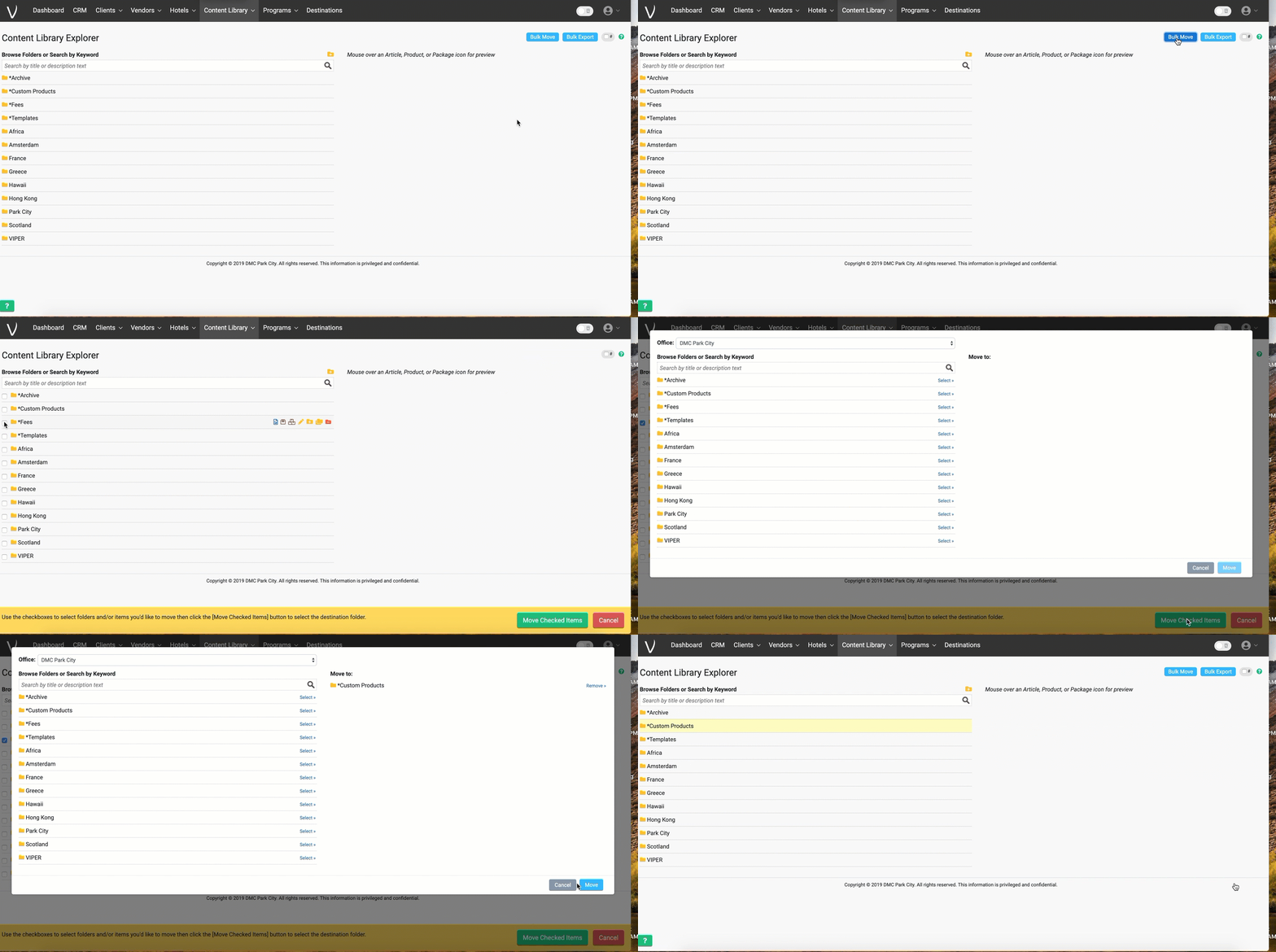
The bulk move option in the content library can be very useful to organizing your content into folders. It's a very simple select tickbox that will bring up the option at the bottom of your screen and from there you can select which items you want to move. Tick what you want to move, select 'move selected item' and then you will be prompted to select where you want to move the folder to. See below:
Bulk Download
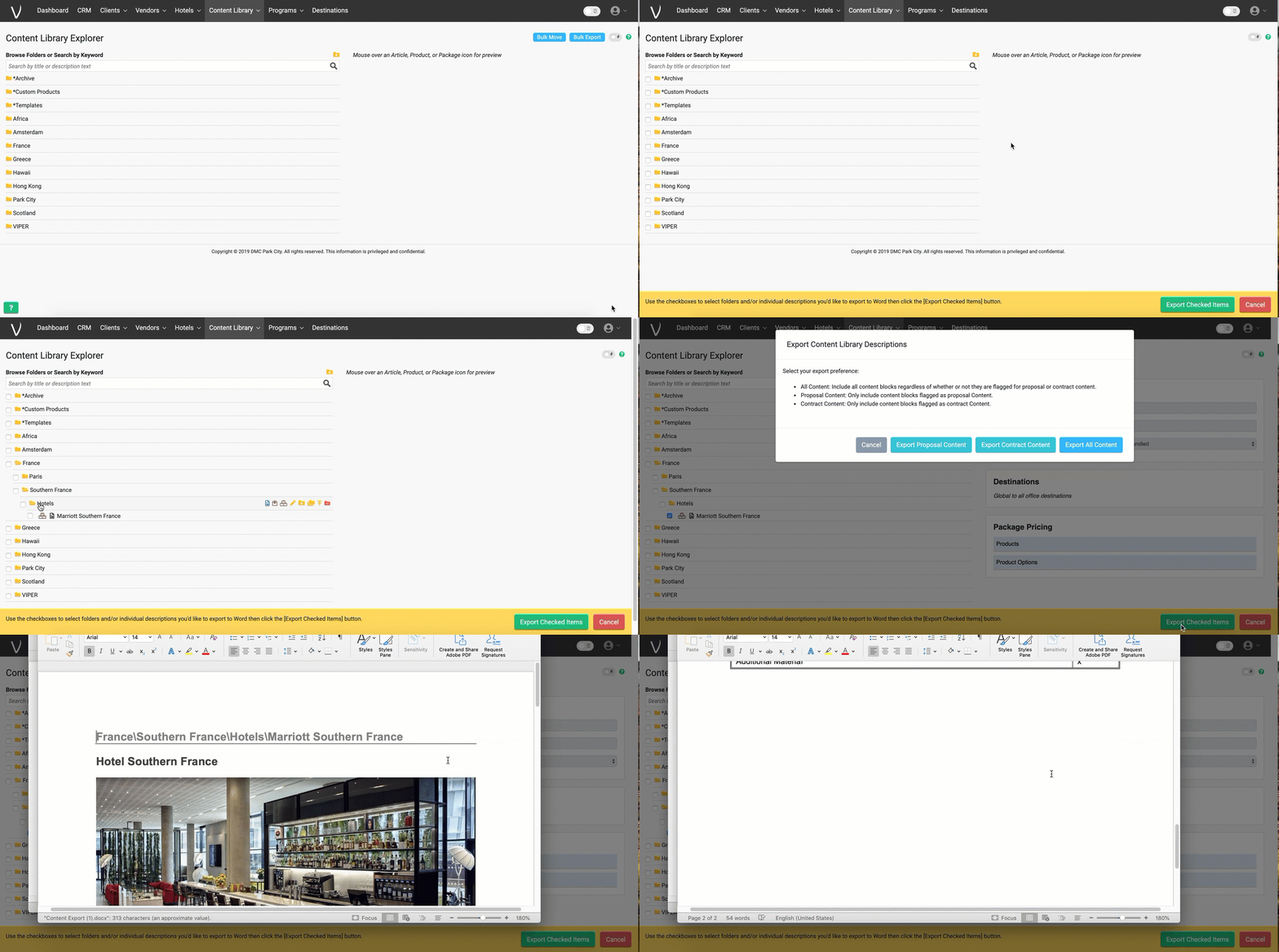
This functionality you may not often use, but it could be handy when you want to create a brochure type word document or pdf for a client of some of your content. It follows pretty similiar functionality to the bulk move above, basically select the feature from the top right to open the bottom screen > select which items to download > choose export selected item and that will open the item as a word document. See below:
Comments
0 comments
Please sign in to leave a comment.