
In the Admin Site, you can manage tax rates for each office. To add or change tax rates:
- Login to the Admin Site
- Go to the Offices and Employees tab
- Click on the office for which you want to change tax rates
- Go to the Tax Rates tab
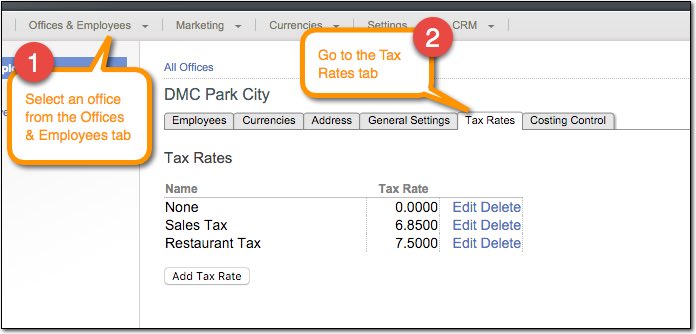
You can add, edit, and delete tax rates in the Tax Rates tab.
Important: Contact Viper Support if you want to update the tax rate for existing products in your Content Library. For instance, if a tax rate changed from 5% to 6%, we can update all products with a 5% tax rate to have a 6% tax rate.
Comments
0 comments
Please sign in to leave a comment.