
For each module in the CRM (leads, accounts, contacts, opportunities, calendar), you can create Custom Views to better organize your data based on your preferences and needs. With Custom Views, you can control which columns are shown and which filters are applied to your data.
Creating a Custom View
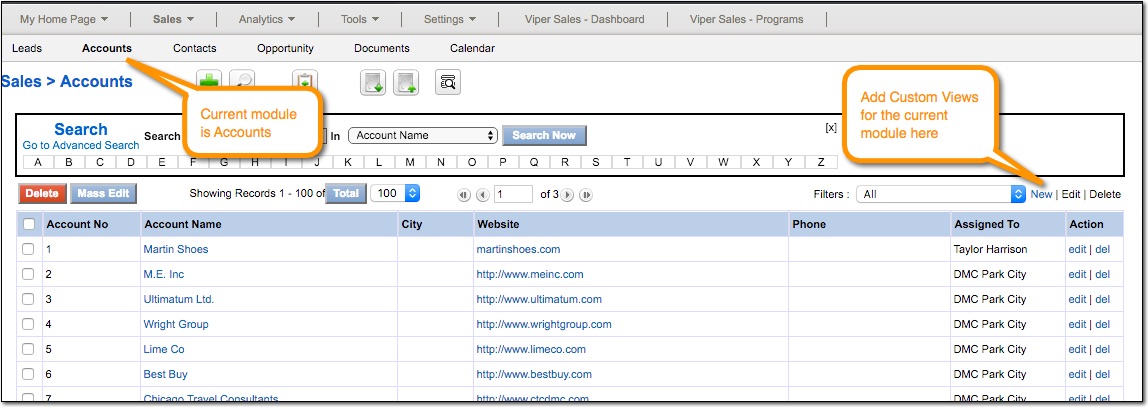
Custom Views are specific to each module. This means that if you want to create a Custom View for Accounts, go to the Accounts tab first.
1. Open the module you want to add the Custom View to (ie Leads, Accounts, Contacts, Opportunities, Calendar).
2. In the upper right, click the [New] link next to the list of current Filters.
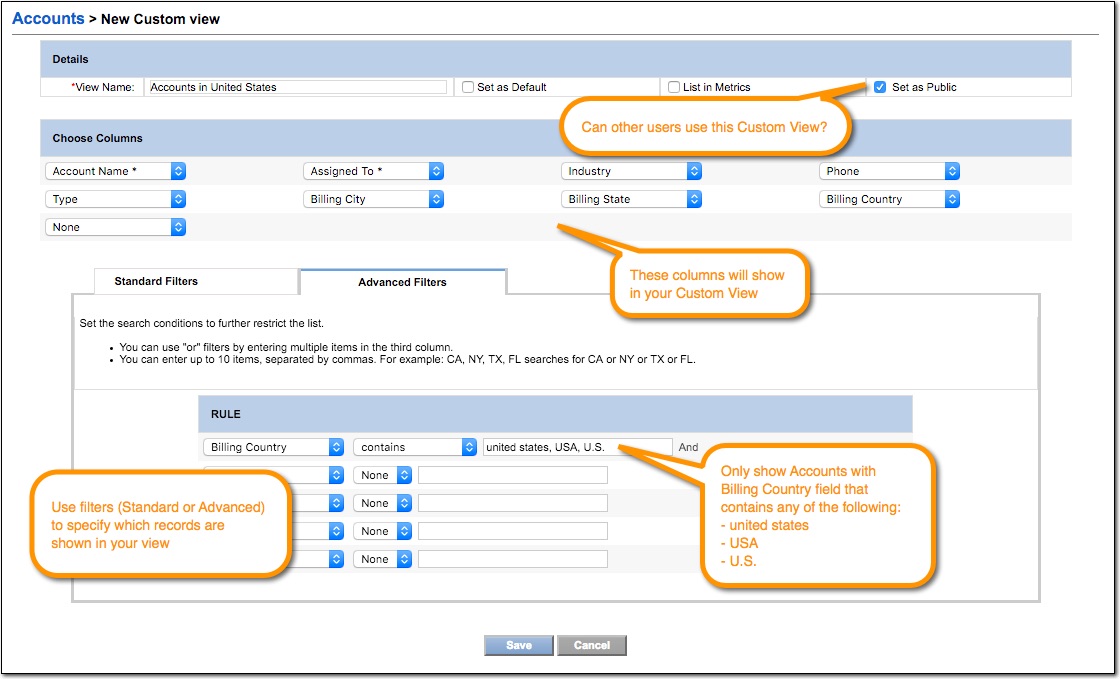
3. In the Edit View screen, set a name for your view, choose the desired columns, and set custom filters if you wish. Click [Save] button when finished.
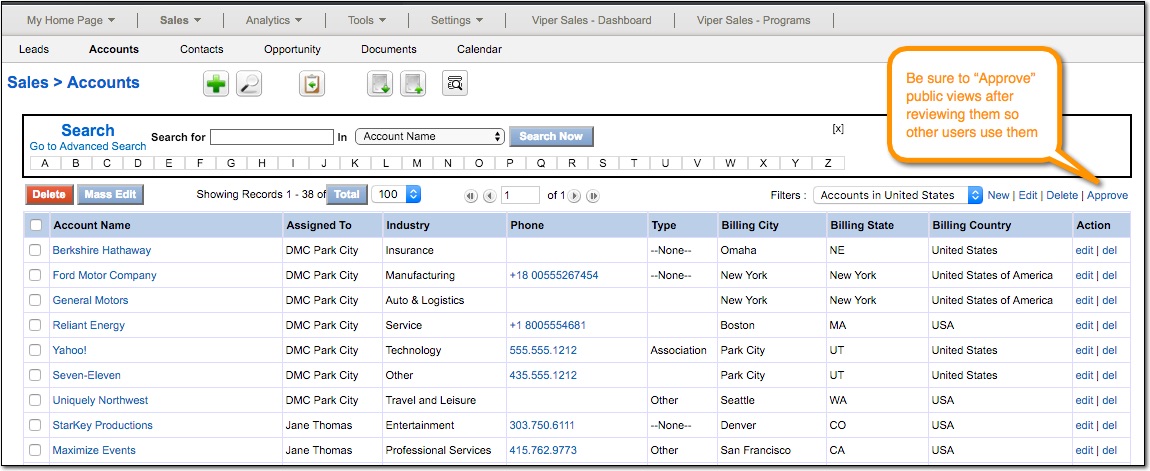
4. If you marked the view as Public, be sure to click the [Approve] link after confirming the view looks as intended.
Comments
0 comments
Please sign in to leave a comment.