
CRM users with "admin" privileges can add custom fields to the CRM. Note that custom fields do NOT sync to Viper. They will only exist in the CRM and can be used in custom views and reports.
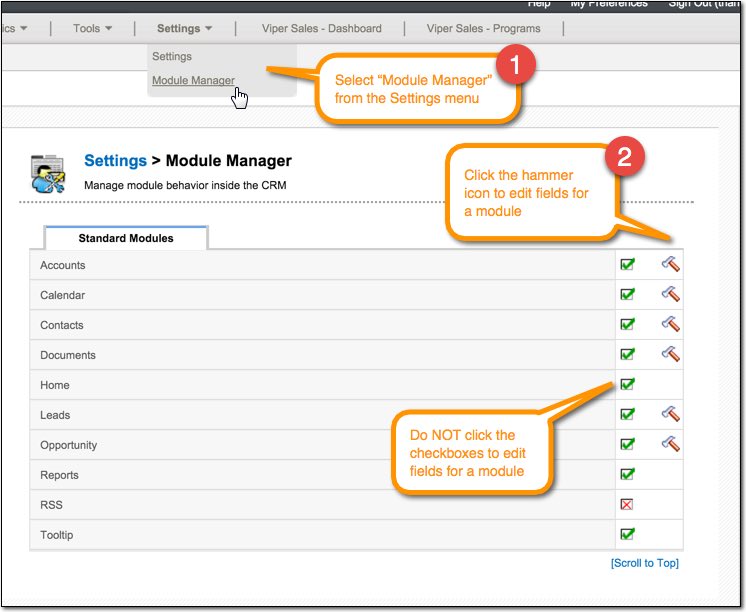
1. Select the Module Manager from the Settings menu and then select the module you want to edit fields for.
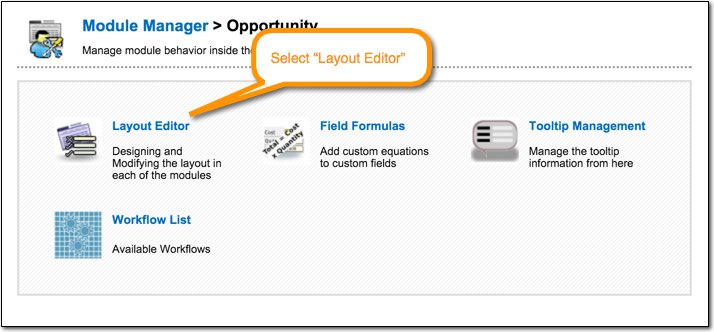
2. Open the Layout Editor.
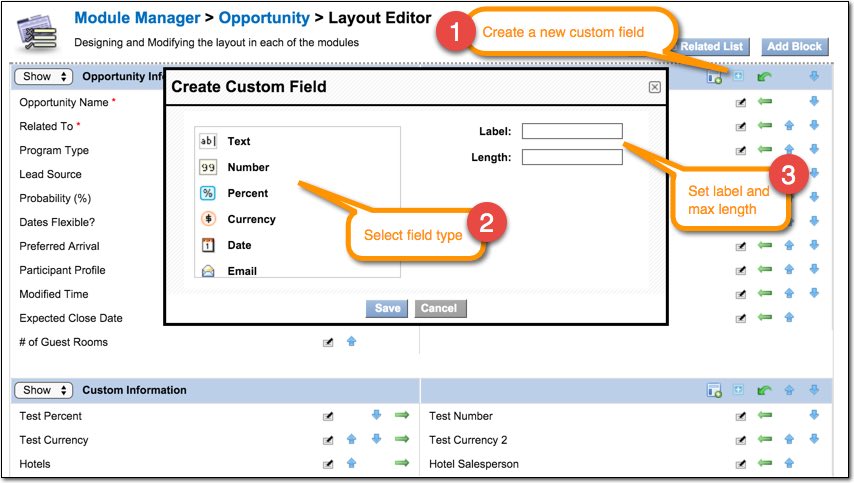
3. To add a new field, click the blue [+] icon and select the field type you want to create.
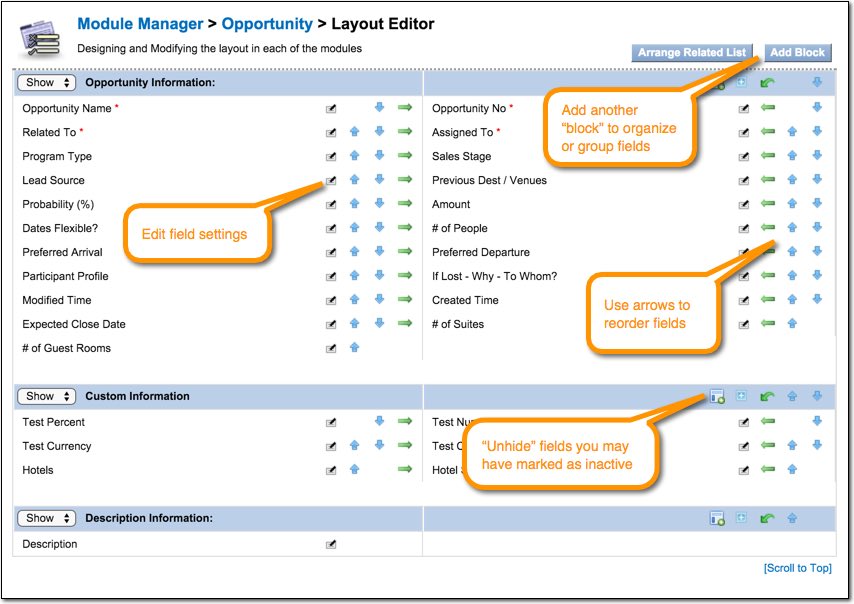
You can also edit settings for an existing field, add new field blocks, and reorder fields. If you wish to remove a field, it is always best to mark the field as inactive instead of deleting it.
Comments
0 comments
Please sign in to leave a comment.