
Overview
ViperVendor is a feature that allows you to communicate directly with your providers (vendors and hotels) from within Viper. ViperVendor allows you to send availability requests, change requests, confirmations, cancellations and general messages to your providers from various Provider areas throughout Viper, like the program Providers tab, the Courtesy Hold report, Provider Schedule report and more. Note that your providers do NOT need to have a Viper account to use ViperVendor; they will set up their own account in the ViperVendor web app so they can communicate with one or more DMCs through a single Dashboard.
Using ViperVendor
To use ViperVendor, you'll click on one of several action icons within a Providers area. For instance, in the Providers tab for a given program, you'll notice ViperVendor action icons in the header area for each provider and also in the far left column of each line item. See the screenshots below.
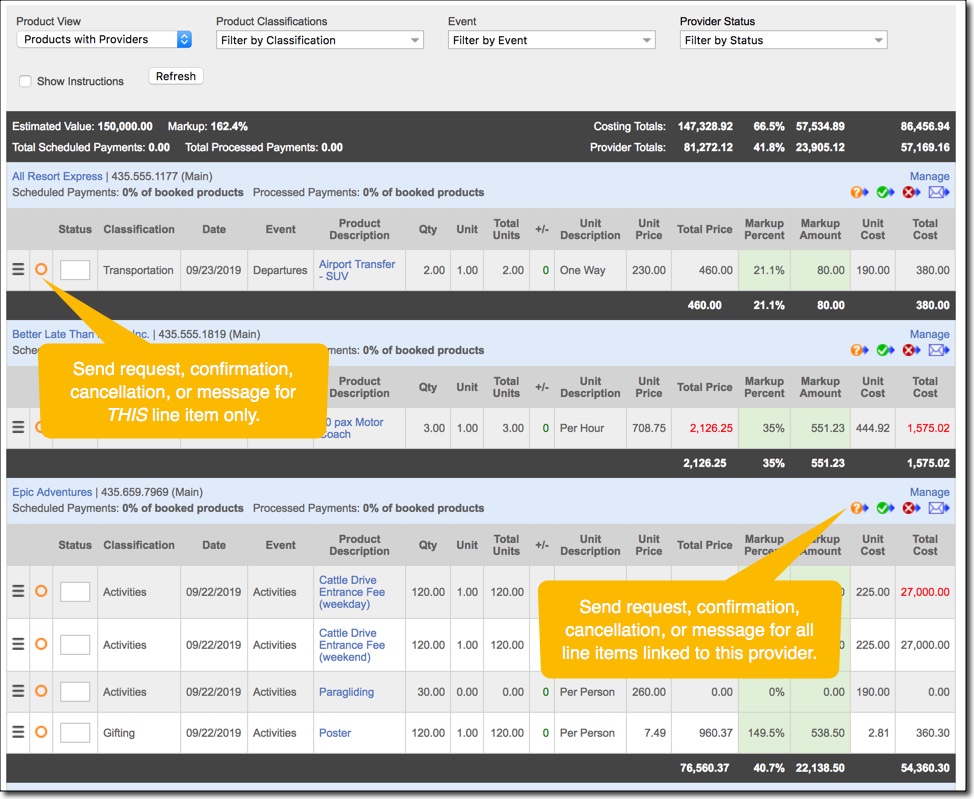
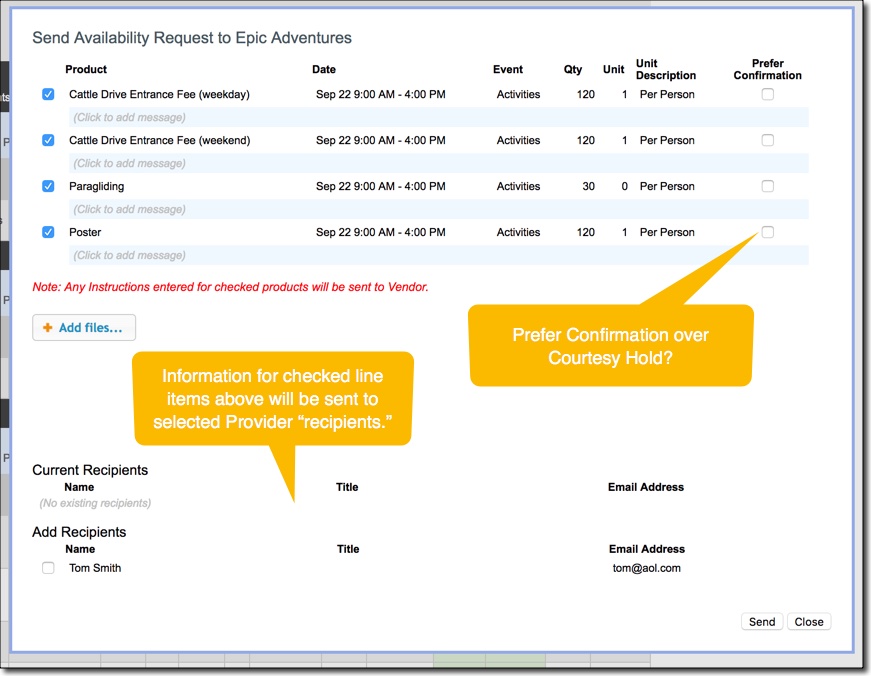
You can choose from Availability/Change Request, Confirmation, Cancellation, or Message Only. When sending an Availability Request, you'll see a popup similar to the one below.
Workflow
- Viper user sends Availability Request to one or more ViperVendor contacts. You will be CCed on all requests and messages, plus you can view all history in the Provider History popup.
- ViperVendor user responds with a Courtesy Hold or Confirmation. They might also send a Message if they need to clarify something before granting a Courtesy Hold or Confirmation. You should respond to any messages from the ViperVendor user using the Message option in Viper.
- If Viper detects changes to a line item (like quantity or cost or date has changed) you'll see an exclamation icon next to the line item and you'll be able to send a Change Request to the ViperVendor user.
- ViperVendor user responds with a Courtesy Hold or Confirmation.
- Viper user sends a Confirmation to ViperVendor user OR sends a Cancellation if product or service is no longer needed.
Comments
0 comments
Article is closed for comments.