
Use the Suppliers tab to look up contact information, insurance information, and other details for Maritz approved Suppliers.
Search for Suppliers
When you go to the Suppliers tab for the first time, all Maritz approved suppliers are shown on your screen. You can browse the list suppliers or use the search filters at the top of the page to narrow your list of suppliers. Note that when you set search filters, your filters are "remembered" until you click the [Clear Filter] button in the Filter Options area.
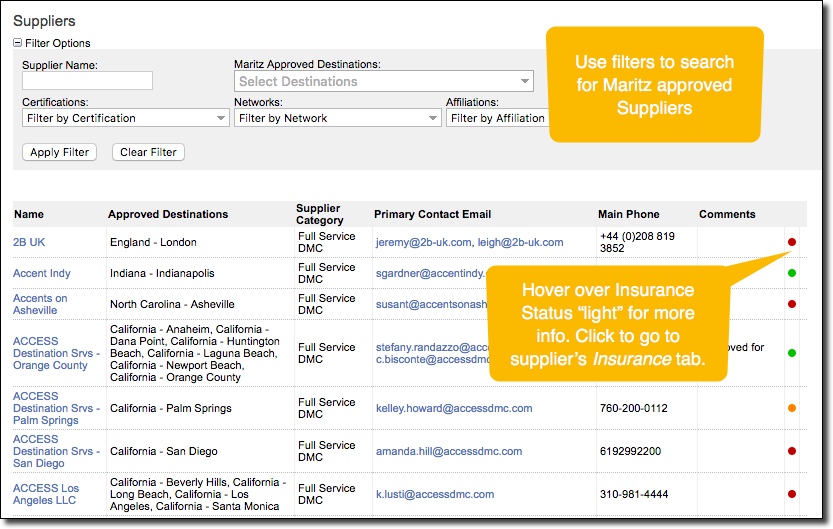
In the list of suppliers, you can see basic details and insurance status for each supplier at a glance. Click on a supplier's name to access their profile and view more information.
Supplier Profile
Click on any supplier in the Suppliers tab to view their profile. From within a supplier's profile, you can view all relevant information and insurance information for the Maritz approved supplier.
Details Tab
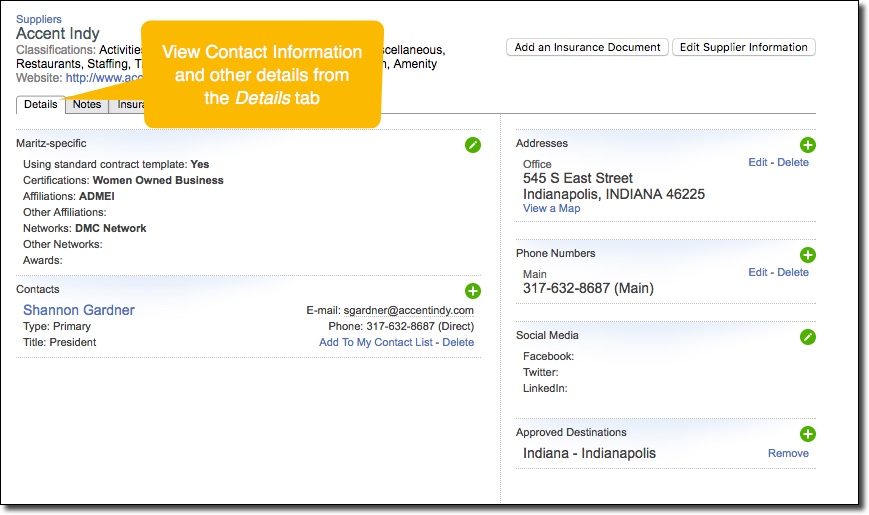
The Details tab shows all relevant details for a given Maritz approved supplier.
Insurance Tab
Within a supplier's profile, go to the Insurance tab to view their insurance information.
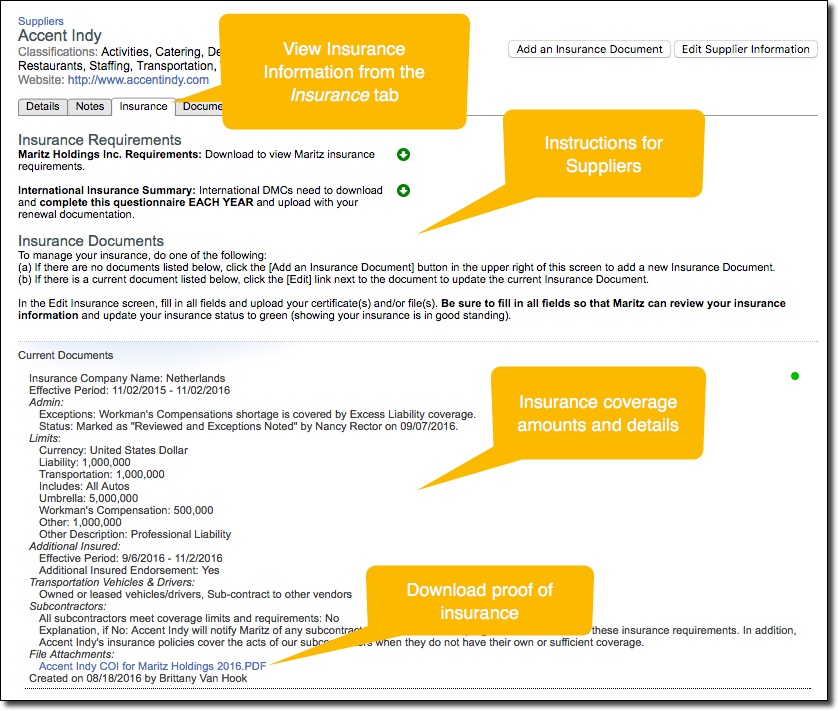
The insurance tab shows you all available insurance information for the supplier.
Return to Suppliers List
Click the Suppliers tab in the top menu at any time to return to the list of all Maritz approved suppliers.
Comments
0 comments
Article is closed for comments.