
IMPORTANT: Before deleting a program in Viper, be sure to delete the linked Opportunity in the CRM first. (If you created the program directly in Viper, there is no linked Opportunity in CRM to delete.)
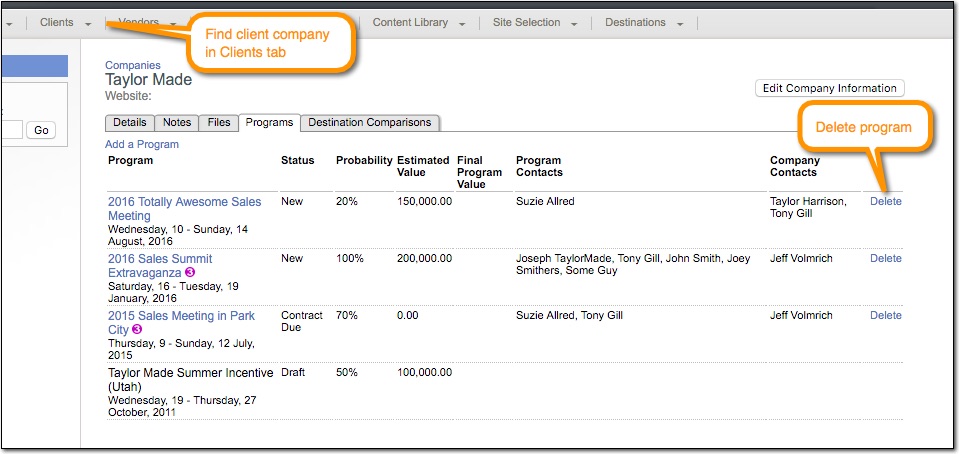
Programs can be deleted from the Clients tab, from within the Company Profile of the company linked to the Program.
- Go to the Clients tab on the main menu bar.
- In the left menu, click the [Companies] link.
- Find the company that is linked to the program you wish to delete.
- In the tabbed menu under the company name, click on the “Programs” tab.
- In the Programs tab, you will see the programs for the selected client company. Click the [Delete] link to remove program(s).
Comments
0 comments
Please sign in to leave a comment.